Remi8 AI Voice Recorder


Key Steps to use AI Recorder
Download the Remi8 AI Mobile App.
Power on the AI Recorder Device
Connect AI Recorder with Remi8 App
Record a Meeting using Recorder Device.
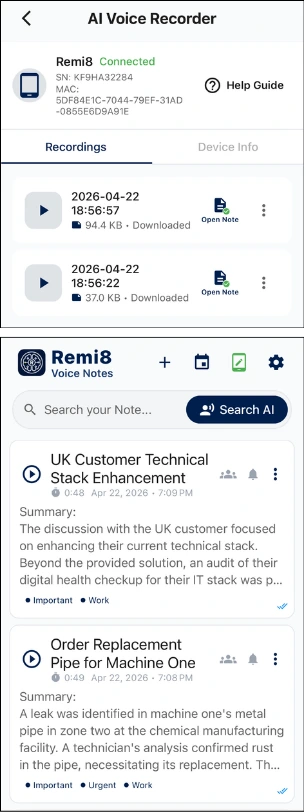
Sync Recording to Remi8 App Notes.
Access Transcription Text on Remi8 AI App.
Access AI Summary and other AI Actions.
Lets explore these Key usage steps of AI Recorder in details.
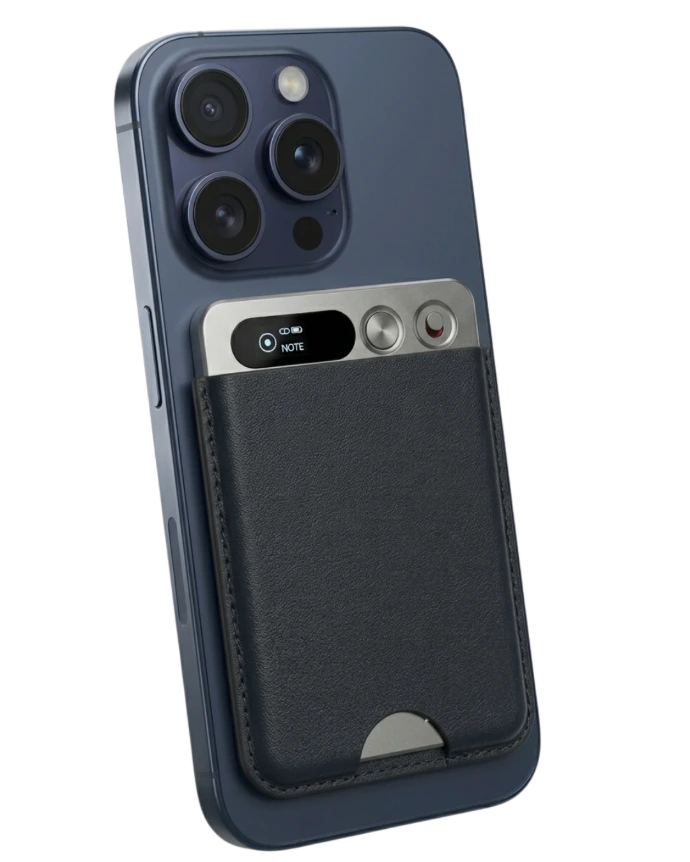
(1) Download the Remi8 App
Login to the Remi8 AI App
Open App, Login via preferable login method
- Login with Google
- Login with Apple
- Login with Email


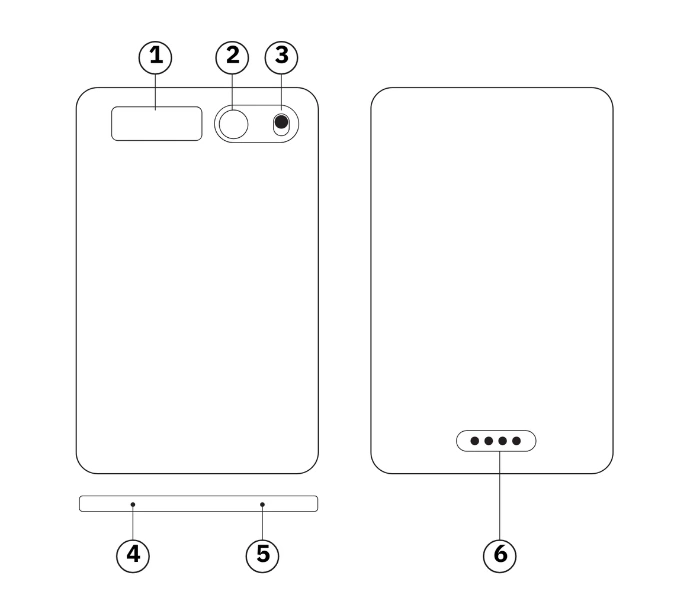
(2) Operations and Functions of AI Recorder.
Display
Power Key
Record Button (Toggle Switch)
Microphone holes
Microphone holes
Charging Interface (Magnetic)
Power On : Press and Hold 3 seconds to Power On the device. “Welcome” message will be displayed.
While device is powered On, Press and Hold 3 seconds to power off. “see you” message will be displayed.
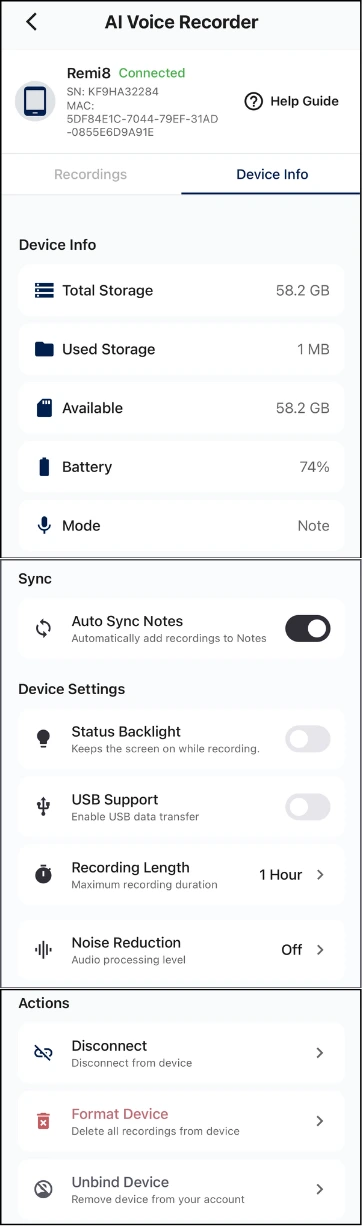
(3) Connect AI Recorder with Remi8 App
Please make sure your the Serial Number is matching with the Serial Number at the back of the box. (Highlighted)
At this time, the Bluetooth connection symbol of the Remi8
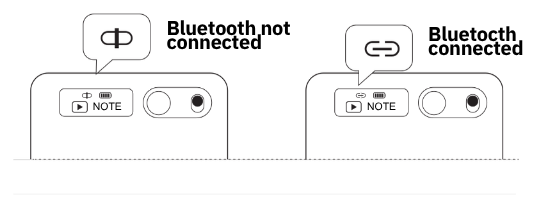
On AI Recorder Device display, Link Symbol will show Linked phone synchronizes the data on the Remi8 AI Mobile App
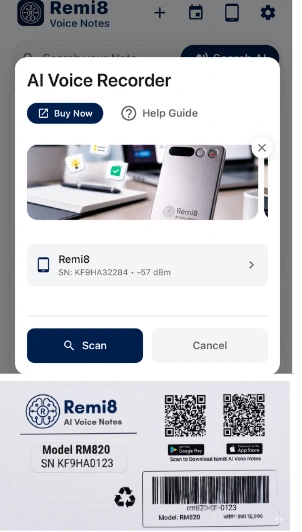
(4) Record a Meeting using Recorder Device
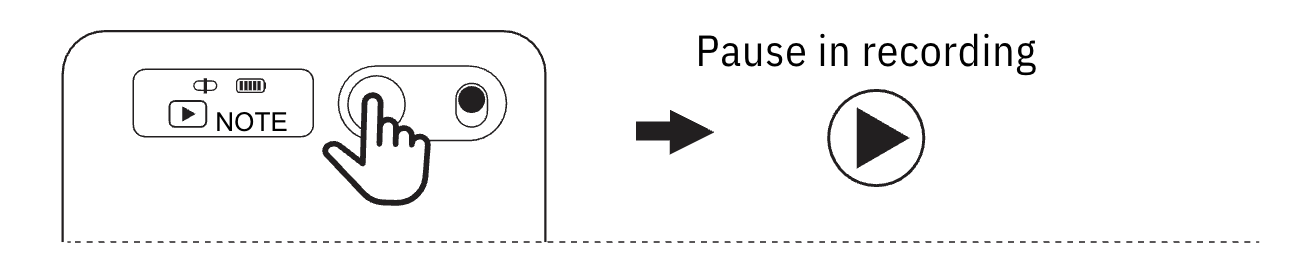
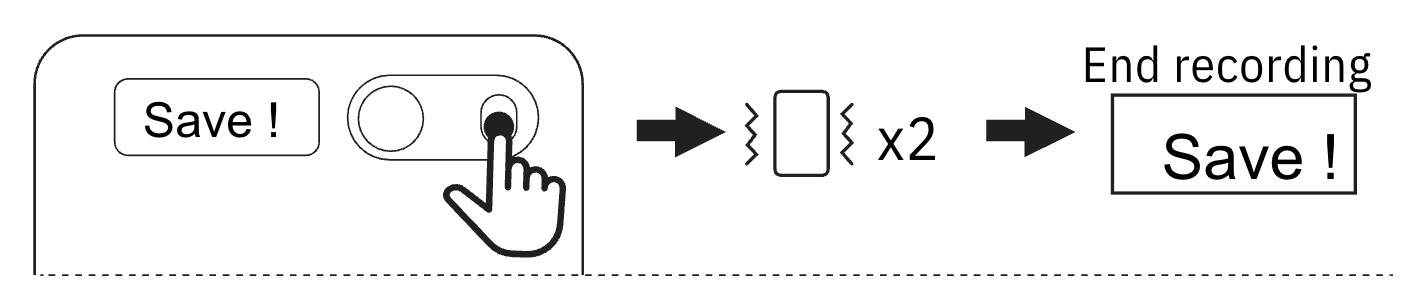

- Green Icon when connected.
- Shows Mode icon Call/Note.
- Show Mic Icon when Ongoing Recording.
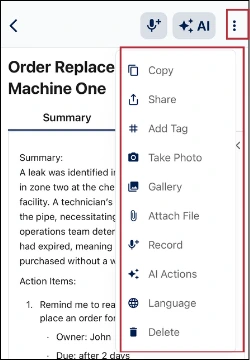
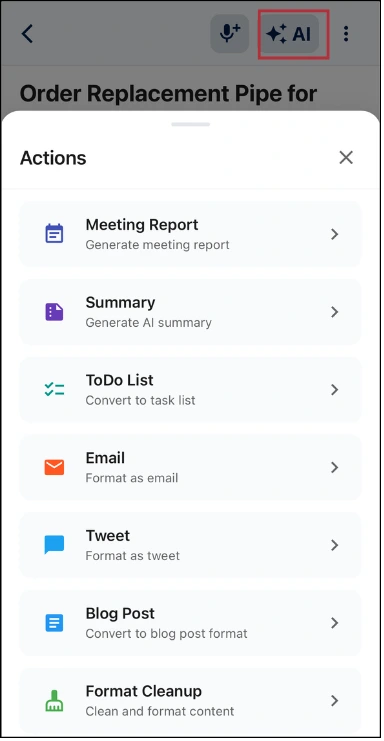
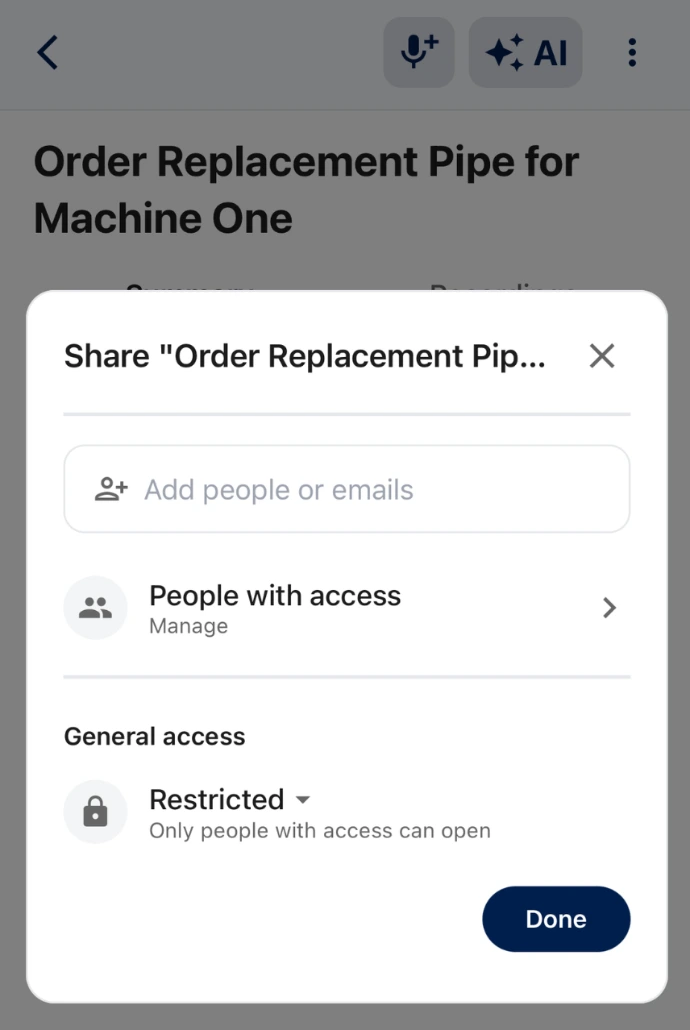
(10) App System Upgrade
automatically without the need for users to update it manually.
| Feature | Specification |
| Model number of products | Remi8 AI voice recorder (RM820) |
| Cell and combination method | Polymer battery / 400mAh / 1 piece |
| Input input interface | Magnetic suction contact |
| Storage of machine | 64GB |
| Whether the recording is encrypted | No |
| Recording support format | MP3 |
| Recording bit rate | 32kbps |
| Length of recording | Up to 35 hours |
| Mode of recording | Start recording on the machine / start recording on the APP |
| Power off standby time | About 166 days |
| Microphone performance | Simulated silicon wheat + bone wheat |
| Bluetooth protocol | 5.3 |
| Transport protocol | USB 2.0 |
| Whole machine material | Aluminum alloy |
| Operating service temperature | 0 to 45 degrees Celsius |
Get Your Remi8 Device Guide Now!
Storage & Privacy
Recordings are stored on the device when offline
When connected, recordings sync to the app
Transcriptions and AI data live inside the app only
Your data stays private unless you choose to sync or share it.
Charging & Data Transfer
Charging
Use the magnetic charging cable with a 5V/1A power source.
Data Transfer
Connect via OTG adapter to access recordings on mobile or computer.
Device Specifications
Storage: 64GB
Recording format: MP3
Recording duration: Up to 35 hours
Battery: 400mAh polymer battery
Bluetooth: Version 5.3
Body: Aluminum alloy
Important Notes
Follow local laws when recording conversations
Do not record without consent where required
Keep device away from children
Avoid exposure to heat, water, or chemicals
Ready to Never Forget Again?
Join thousands of busy people who trust Remi8 AI as their Productivity Enhancing AI Tool.
Free to start | Your Personal Second Brain